
Mix Space: Mix and Master by Moving Your Sounds Around a Stage
By Omar Meho, 13 November 2026
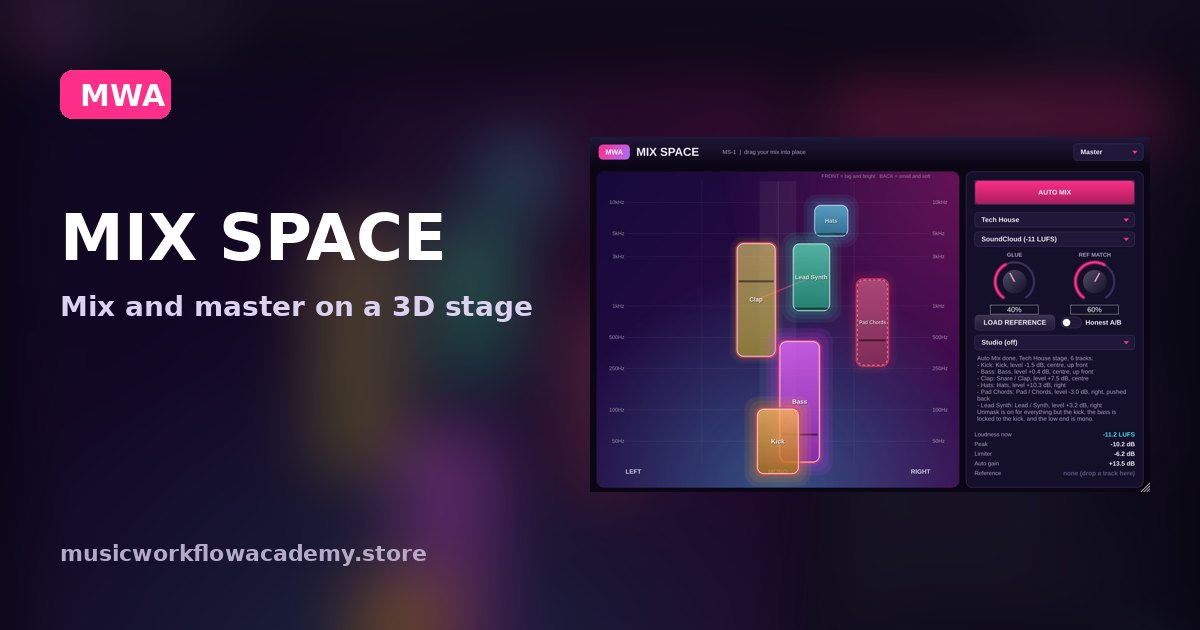
Most beginners do not struggle with mixing because they lack plugins. They struggle because they cannot see where everything sits. So I built a plugin that shows you, and lets you move it.
The idea: your mix is a stage
Picture a band on a stage. The singer is front and centre, the drummer is behind, the guitars are left and right. Mixing is the same thing with sound. Mix Space turns that picture into something you can grab.
- Left and right is pan.
- Up and down is frequency, so the kick and sub sit low and the hats sit high.
- Front to back is depth. Turn a sound down and it moves further back, like a player stepping away from the front of the stage.
Every instance talks to the others
Put Mix Space on every track. Each copy shares what it hears with the rest, so the plugin can see your whole mix at once. When two sounds fight for the same frequencies, a line appears between them. Press UNMASK and it carves room for the one that matters.
The kick and bass get special treatment: one click and the bass ducks under the kick, and the low end stays mono so it hits hard in a club.
A mastering chain on the master
Switch the copy on your master to Master mode and you get a full chain:
- Tone: matches your mix to a curve for your genre, or to a reference track you load.
- Dynamics: 4 bands that glue the mix and add punch.
- Exciter: clean, tape or tube warmth.
- Imager: mono low end, wider mids and highs.
- Maximizer: hits your loudness target without clipping, with live loudness and true peak meters.
Press MIX + MASTER ASSISTANT and it sets a starting point for every module. Then you A/B it against your dry mix and tweak.
Who it is for
If you already know your way around EQ and compression, Mix Space saves you time. If you are new, it shows you why your mix sounds muddy, which is the bit nobody explains. It is on Mac (AU and VST3) for £129, and it is included in the MWA Bundle.